 PYLO
PYLO Agency OS
Onboarding
A new client from "I signed a client" to live in seven days, run by your agent through your client checklist.
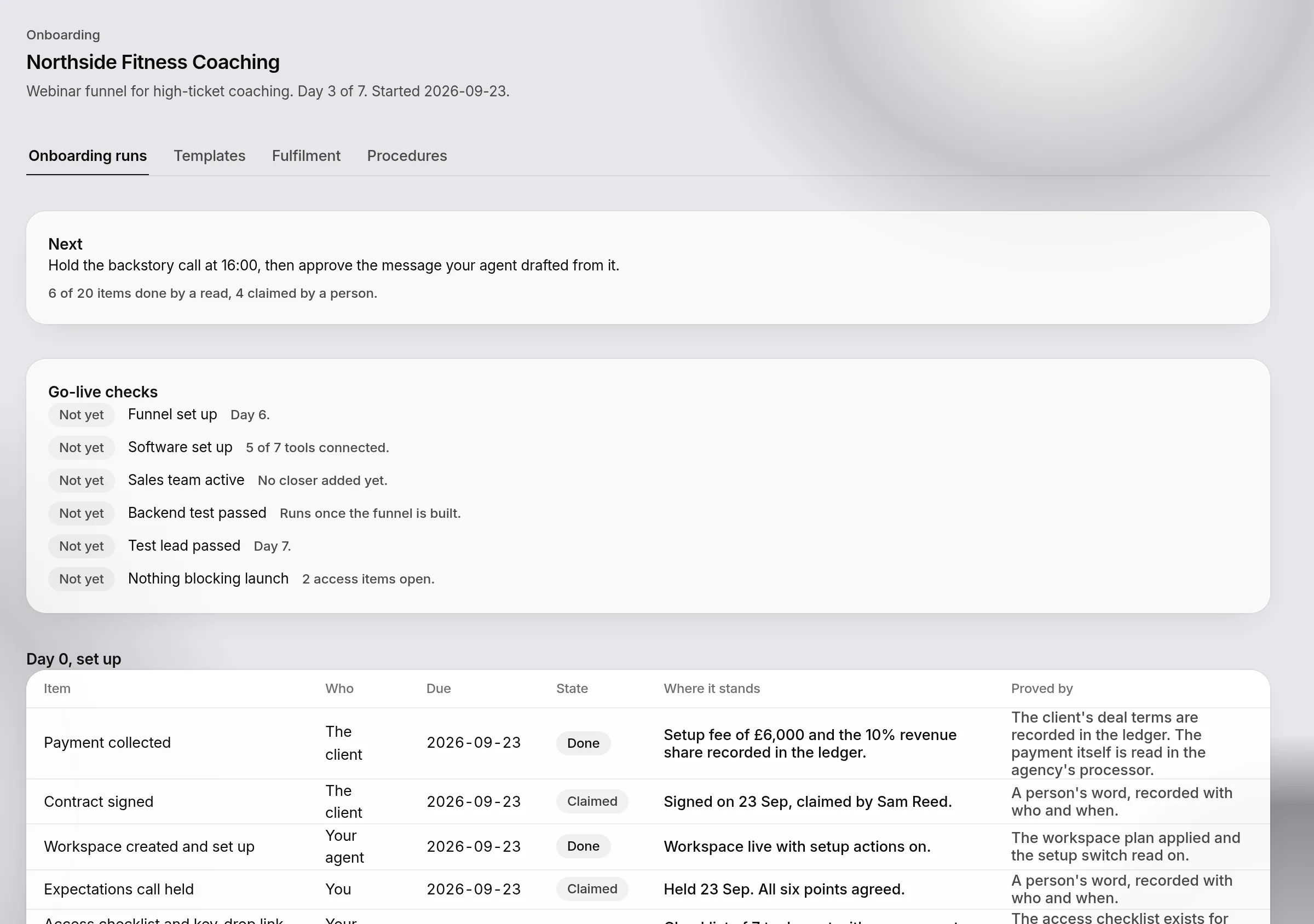
Tell your agent you signed a client and it starts one onboarding run. The run follows your client checklist, the same 20 items on each workspace's Client onboarding page, from Day 0 to the Day 7 go-live checks. Each item has an owner, a due day, the tool that does it and the read that proves it.
The seven days
| Days | What happens |
|---|---|
| Day 0 | The workspace created from a funnel template, the client's deal terms recorded in the ledger, the contract, the expectations call, the stack chosen by your rules, then the access checklist built from it and one link for the client's whole stack of tools and keys, and the client added to your chat. Each approval is a code sent to your phone |
| Days 1 to 2 | The client applies to the processor, connects their tools and sends the brand sheets, the voice note and their story. As soon as the tools are connected, your agent plans the build in your build order and runs its browser lines in your own browser |
| Day 3 | You review what the client sent and hold the backstory call. Your agent drafts the message for you to approve |
| Days 4 to 6 | You sign off the offer. Your agent builds the core funnel, drafts the pre-call assets, the emails and the content plan for you to approve, times the reminders, and adds the sales team once you have hired |
| Day 7 | The go-live checks: the funnel set up, the software set up, the sales team active, the backend test passed in the sandbox, a test lead through, and nothing blocking the launch |
The three weeks after go-live are a launch plan of their own, the client-launch template: week 1 everything working and hiring, week 2 ramping the sales team, week 3 opening the waitlist.
One next thing at a time
After every step your agent asks PYLO for the next one. It always gets one item and the tool that does it. When there is nothing left for the agent, it says who the run is waiting on and when that is due, and stops. Every step only a person can do is a task in your inbox with its owner, due day and proof, and it closes itself when the proof lands.
A person's word is recorded as claimed, never done. Steps PYLO can read, such as a tool connected, a plan applied or a backend test passed, are done only when the read passes.
What stays with people
Choosing the funnel, signing off the offer, the client's new opportunity and the brand sheets are never done by an agent. Signing, paying, the processor's checks and hiring stay with the client and with you. PYLO never moves money, deletes anything or messages a lead, and never creates a Notion workspace.
The intake
The intake has five groups: signing, copy inputs, offer and proof, build decisions and buyers. Your agent asks your questions in the chat. The client answers theirs through a link or a form. Every answer is kept on the run, so nothing is asked twice, even in a new conversation.
The automation library
The automations an agency usually builds by hand in Make or Zapier each map to something PYLO runs instead: a built-in flow, a recipe, a sequence, a webinar run or a sales-ops job. The run page shows each one and whether it is running. Everything starts in shadow, where it records what it would do and writes nothing. You move a flow or a recipe to live after comparing it with the zap it replaces.
The screens
Agency OS, Onboarding lists every client being onboarded, with the day, what is next and what the client still owes. Open one to see its seven days item by item, the go-live checks, the intake still open and the automation library.